

WooCommerce speed optimisation for South African stores
Nearly every slow WooCommerce store we are asked to fix has the same three problems, in the same order, and none of them is WooCommerce. Here is how to find and fix yours without guessing.
WooCommerce has a reputation for being slow. It is not deserved. What is true is that WooCommerce is unforgiving: it exposes bad hosting, bloated themes and careless plugin choices in a way that a static brochure site never will. A slow store is a symptom, and the useful skill is reading which cause you have.
Why WooCommerce speed optimisation is different
Most speed advice on the internet is written for blogs. It tells you to enable page caching and compress your images, and then it stops. For a store, that advice covers maybe half the problem.
The pages that make you money — cart, checkout, my account, and any AJAX add-to-cart call — cannot be page-cached. They are personalised by definition. Caching your homepage is nice. It does nothing for the customer trying to check out.
So WooCommerce speed work splits into two jobs. Make the cacheable pages fast, which is easy and well-documented. And make the uncacheable pages fast, which is where the actual money is and where almost nobody looks.
Diagnose before you optimise
Do not install a speed plugin and hope. Measure first, in this order.
- Test your TTFB, not your PageSpeed score. Time to First Byte tells you how long your server takes to think. If TTFB is over about 600ms, your problem is server-side and no amount of image compression will help.
- Test from South Africa. Most speed tools default to a US or European test location. That tells you what an overseas visitor experiences, not your actual customer. Use a Johannesburg or Cape Town test node.
- Test a product page and the cart, separately. If the homepage is fast and the cart is slow, you have confirmed the uncacheable-page problem and you can stop looking at your images.
- Check whether you are being CPU-throttled. Your hosting control panel will show this. A throttled account is slow no matter what you do to the site.
That four-step diagnosis takes twenty minutes and will tell you which of the sections below actually applies to you.
Check the three causes in this order
Most likely first. Each section below covers one.
Cause one: the hosting is too small
This is the most common single cause and the one store owners are most reluctant to accept, because it costs money to fix.
The signature is a high TTFB that does not improve when you disable plugins, combined with CPU throttling in your control panel. If your store is running on a 2GB RAM shared plan with fifteen plugins and a few hundred products, the server is the bottleneck and everything else is noise.
The fix is a bigger plan, and we go through exactly which size fits which store in our guide to WooCommerce hosting in South Africa. The short version: most real stores belong on a plan with at least 4GB of RAM, NVMe storage and Redis available.
Cause two: the object cache is switched off
This is the highest-return fix available and it is usually free, because most decent South African hosting plans include Redis and simply do not have it enabled.
An object cache stores the results of database queries in memory. WooCommerce asks the database the same questions constantly — product data, variations, cart contents, session state. On an uncacheable page, that is unavoidable work. With an object cache, most of it is answered from memory instead of disk.
Check whether Redis is available on your plan, enable it in your control panel, and install a Redis object cache plugin. On a busy store this alone can halve cart and checkout response times. It is the first thing we check on any WooCommerce site we inherit.
Cause three: plugin and theme bloat
The number of plugins matters less than what they do. Ten well-built plugins that load only where they are needed will outperform three that run uncached database queries on every page load.
What to look for:
- Plugins loading site-wide when they are needed on one page. A form plugin loading its scripts on every product page. A slider library loading on the checkout.
- Anything that writes to the database on page load. Some analytics, popup and related-products plugins do this. On a busy store it is brutal.
- Overlapping functionality. Two SEO plugins. Two caching plugins fighting each other. A theme with built-in features duplicated by a plugin.
- Page builders on product templates. A heavy builder rendering every product page adds real weight for very little benefit on a template you designed once.
Audit by deactivating, not by reading. Turn things off in a staging environment, measure, turn them back on one at a time. Guessing which plugin is the problem wastes more time than measuring.
The South African specifics
Two things change the calculation for a store serving local customers.
Server location. A request from Cape Town to a Johannesburg server is roughly 20 to 30ms. To Frankfurt it is closer to 160ms, and to a US east coast facility more still. Because a checkout is many sequential requests rather than one, that difference compounds through the whole flow. This is the single strongest argument for local hosting and it is invisible in a PageSpeed score run from London.
Frankfurt is at least five times further away than Johannesburg
Approximate latency per request from Cape Town, in milliseconds. A checkout makes many requests in sequence, so this repeats.
Johannesburg bar drawn at the upper figure, 30ms. A US east coast server is further still.
Mobile and data cost. A large share of South African ecommerce traffic is mobile, often on metered data. Heavy pages cost your customer money, not just time. Compressing images and serving WebP is not just a speed measure here — it is a courtesy that shows up in bounce rate. We went into the wider picture in our piece on mobile commerce in South Africa.
The fixes that are worth doing, in order
| Fix | Effort | Typical impact |
|---|---|---|
| Enable Redis object caching | Low | High — the biggest single win on most stores |
| Right-size the hosting plan | Low | High if you are throttled, none if you are not |
| Compress and convert images to WebP | Low | Medium — helps mobile most |
| Remove or replace bloated plugins | Medium | Medium to high, varies wildly |
| Page caching with proper store exclusions | Low | Medium on category and product pages |
| Clean the database and remove old revisions | Low | Low to medium on older stores |
| Move to a lighter theme | High | High, but rarely worth the disruption alone |
| A CDN | Low | Low for local-only stores, high if you sell internationally |
Notice that the two highest-impact items are the two cheapest. Most stores never do them and go straight to arguing about themes.
What to exclude from caching on a WooCommerce store
Getting this wrong causes worse problems than being slow. A cached cart page shown to the wrong customer is a genuine data leak.
Always exclude: cart, checkout, my account, and any order-received or thank-you page. Also exclude your payment gateway callback endpoints, because a cached response there breaks order reconciliation entirely.
Most caching plugins exclude these by default when they detect WooCommerce. Verify it rather than assuming, especially after switching caching plugins.
WooCommerce speed FAQs
Why is my WooCommerce store so slow?
In order of likelihood: hosting that is too small for the store, an object cache that is not enabled, and plugin bloat. Measure your TTFB first. If it is high with plugins disabled, the cause is server-side and no front-end optimisation will fix it.
What is a good page load time for a WooCommerce store?
Aim for a TTFB under 400ms and a fully loaded product page under about 2.5 seconds for a local visitor. Cart and checkout will always be slower than cached pages — that is expected. What matters is that they stay under roughly 3 seconds.
Does WooCommerce slow down WordPress?
It adds real work, yes. It also adds database tables, scheduled tasks and uncacheable pages. But a well-hosted WooCommerce store with a sensible plugin stack is fast. Blaming WooCommerce is usually a way of avoiding the hosting conversation.
How many products can WooCommerce handle?
Tens of thousands, on appropriate infrastructure. Store owners hit trouble at a few thousand products not because of WooCommerce but because they are still on the hosting plan they bought when they had fifty products.
Do I need a CDN for a South African store?
If your customers are all in South Africa and your server is in South Africa, a CDN adds little and can occasionally add latency. If you sell internationally, or serve a lot of large images, it helps. Fix your hosting and object cache first.
Will a caching plugin fix my slow checkout?
No. Checkout cannot be cached. If your checkout is slow, the causes are server resources, database performance and plugin overhead. This is the single most common misunderstanding in WooCommerce speed work.
Is LiteSpeed better than NGINX for WooCommerce?
Both handle concurrent requests far better than stock Apache. LiteSpeed has an advantage in that its WordPress cache plugin is tightly integrated and easy to configure correctly. For most store owners that practical difference matters more than raw benchmarks.
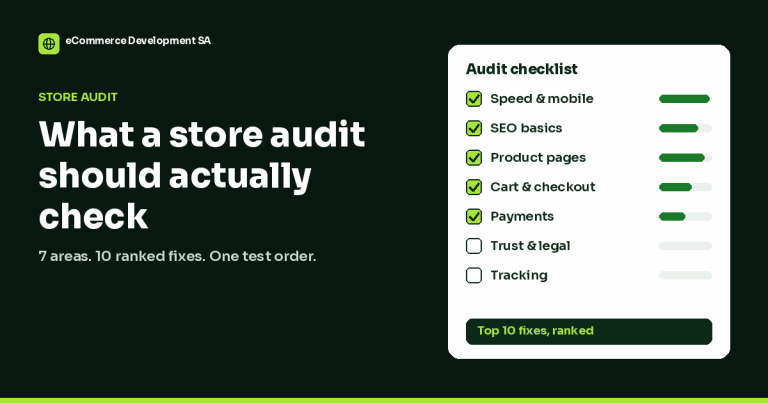
Speed problems are usually a handful of plugins, images and hosting settings. My Store Audit measures your store on a real phone connection and tells you exactly what is slowing it down, in order of impact.
See the Store Audit — R1,499
We have built 400+ online stores for South African businesses since 2014. Read more about WooCommerce development in South Africa.