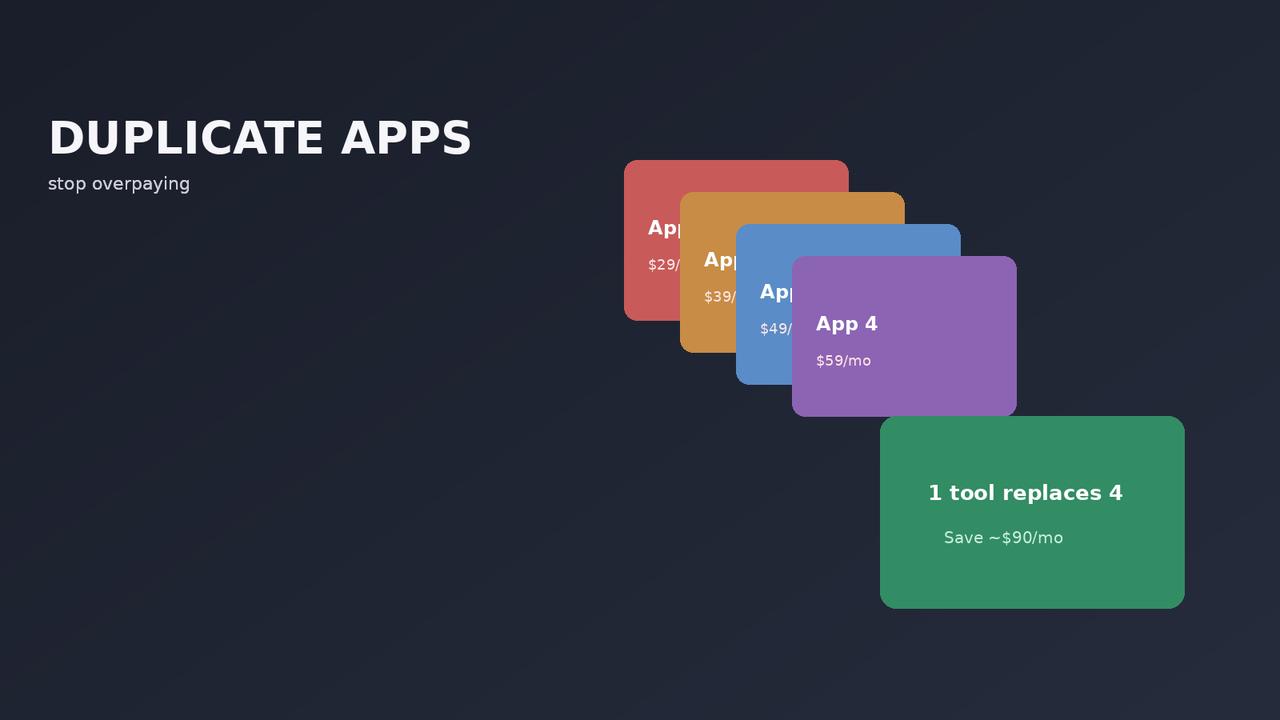

You are probably paying for four apps that do the same thing
The average store we audit is running eleven apps and using six of them. The other five are costing money every month and slowing the site down, and nobody can remember why they were installed.
App bloat is not a discipline problem. It happens because every app solves a real problem on the day you install it, and nothing ever prompts you to check whether it is still solving one. Two years later you have a stack that grew by accretion rather than design.
We built the App Stack Recommender to answer the opposite question — not “what else could I install” but “what is the smallest stack that covers what I actually need”.
What app bloat actually costs
Three costs, and only the first is obvious.
The subscriptions. Individually R150 to R600 a month. Collectively, a store running eleven apps is frequently spending R3,000 or more monthly. That is a hosting plan, a premium theme and a year of email marketing.
Site speed. Most apps inject scripts on every page load, including the ones that matter. Four apps each adding 200ms to your product page is not a theoretical problem — it lands on conversion. This is why our speed diagnosis puts plugin audit ahead of most other fixes.
Conflict surface. Every app is another thing that can break when the platform updates, another vendor whose support you may need, and another place a bug can hide. Two apps trying to modify the same checkout element is a support ticket waiting to happen.
The overlaps we find most often
| Overlap | What usually happens |
|---|---|
| Two review apps | One was trialled and never uninstalled. Reviews split across both. |
| Email app plus a separate popup app | Most email platforms include popups. The second tool is redundant. |
| An all-in-one plus three specialists | Paying for bundled features you are not using because you also bought the specialist. |
| Two upsell apps | Frequently installed for different placements, then both left running site-wide. |
| An SEO app plus a theme with SEO features | Duplicate meta tags, conflicting schema. |
| A currency converter on a single-currency store | Installed “for later”. Later never came. |
| Analytics on top of analytics | Three tools measuring the same thing, none trusted. |
The all-in-one overlap is the expensive one. If you are paying for a bundled platform and also paying for a specialist review app and a specialist loyalty app, you are paying twice for both. Either commit to the bundle or unbundle properly — the halfway position is the worst of both.
How to audit your stack in an hour
- List every app and its monthly cost. Actual cost, from the billing page, not what you remember paying. The total is usually the moment of clarity.
- Against each one, write the problem it solves. In a sentence. If you cannot, that is your answer.
- Group by problem. Anything with two or more entries is an overlap.
- For each app, ask when you last looked at its output. An analytics tool nobody opens is not providing analytics.
- Check what loads where. Anything running on the checkout deserves particular scrutiny — that is where speed and reliability matter most.
- Uninstall, do not just deactivate. Deactivated apps often leave scripts and database entries behind.
Do this twice a year. It takes an hour and it routinely finds R800 to R1,500 a month on a mature store.
What a lean stack actually looks like
Our default recommendation for a South African store, one app per genuine problem:
- Email marketing. Non-negotiable. Abandoned cart and post-purchase flows are the highest-ROI automation available to any store.
- Reviews. Social proof and, with valid schema, rich results in search.
- Search — but only above a few hundred products. Below that, native search is adequate and the app is overhead.
- SEO. One tool. Never two.
- Shipping or fulfilment, if you are not handling rates natively.
That is five, and it covers most stores properly. Add loyalty, upsells and support tooling when you have the volume to justify them — not before, because an upsell app on a store doing forty orders a month is optimising the wrong thing.
The corollary: if you are running fifteen apps and cannot name what each contributes to revenue, the problem is not that you need a better app. We made the fuller argument in how many Shopify apps does your store actually need.
What the recommender does
Three questions — platform, stage, and what you are trying to fix — and it returns one app per problem, with the reasoning. It marks which recommendations we have an affiliate relationship with and which we do not, because some of the best answers are tools we earn nothing on.
Use it as a checklist against what you already run, not just as a shopping list. The more useful output is usually discovering you are paying for something you do not need.
The apps worth paying for
To be clear, this is not an argument for running nothing. Some apps earn their subscription many times over.
The test we apply: can you point at revenue or hours saved that would not exist without it? An email platform recovering abandoned carts passes easily. A review app driving conversion passes. A dashboard nobody opens does not.
Apply that test honestly and most stores land somewhere between five and eight apps. If you are well above that, the audit above will pay for itself before you finish it.

We have built 400+ online stores for South African businesses since 2014. Read more about Shopify development in South Africa.