
WooCommerce VAT invoices that satisfy SARS
WooCommerce’s default order confirmation is not a tax invoice. If you are VAT registered and sending customers that email as their invoice, you have a compliance problem that will surface at exactly the wrong moment.
This is one of those issues that stays invisible until a B2B customer asks for a proper tax invoice, or your accountant looks at what you have been issuing. Then it becomes urgent and retrospective, which is the worst combination.
Note upfront: we build stores, we are not tax practitioners. What follows is the practical configuration side. Confirm your specific obligations with your accountant, particularly around your registration status and any industry-specific requirements.
What SARS requires on a tax invoice
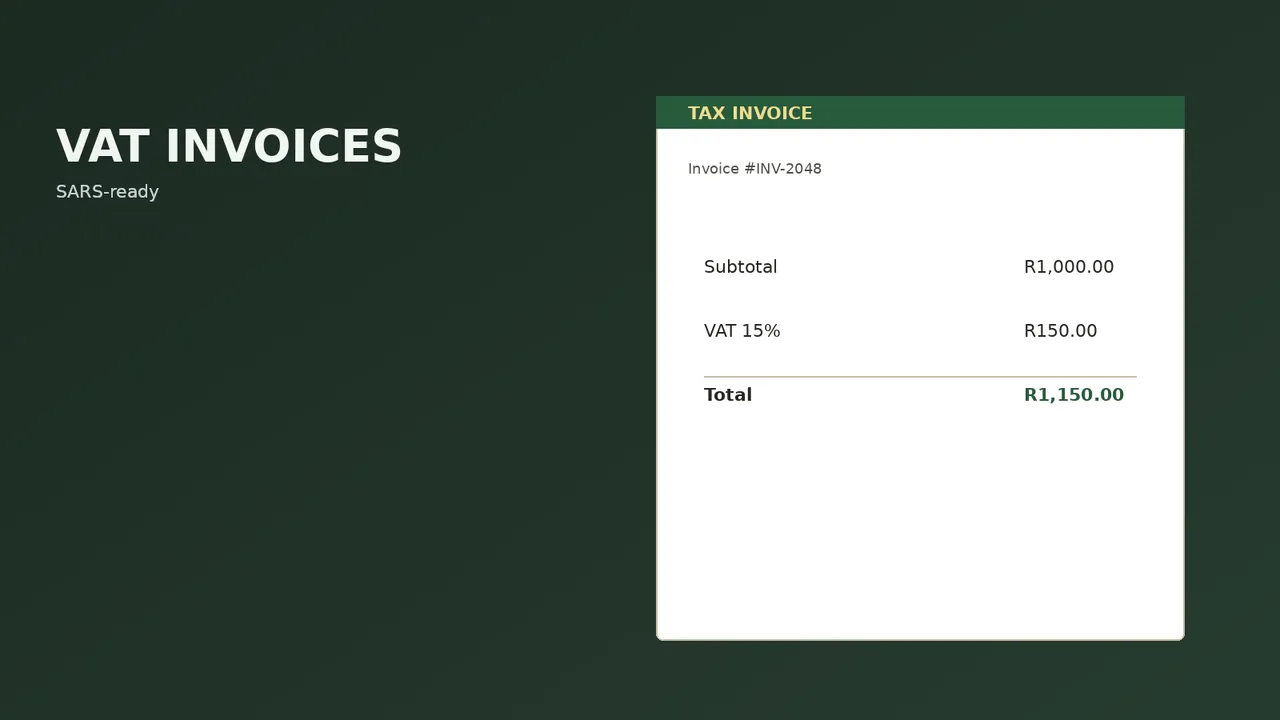
A valid tax invoice for a VAT-registered supplier needs specific elements present. In broad terms:
- The words “Tax Invoice”, “VAT Invoice” or “Invoice” clearly shown
- Your business name, address and VAT registration number
- The customer’s name and address
- A unique, sequential invoice number
- The date of issue
- A description of the goods or services supplied
- The quantity or volume supplied
- The value, the VAT charged, and the total — or the total with a statement that it includes VAT at the applicable rate
Requirements differ between a full tax invoice and an abridged one, and the threshold between them matters. Your accountant will tell you which applies to your transaction values. The point for our purposes is that the default WooCommerce order email contains almost none of this.
Why the default order confirmation is not enough
Out of the box, WooCommerce sends an order confirmation email. It shows what was bought and what it cost. It does not include your VAT number, it does not carry a sequential invoice number distinct from the order number, it does not show the VAT breakdown in a compliant format, and it is not a document the customer can file.
Three consequences:
- B2B customers cannot claim input VAT without a valid tax invoice. If you sell to businesses at all, this is an immediate commercial problem, not a theoretical compliance one.
- Your own record-keeping is weaker than it should be. Order numbers and invoice numbers serving the same purpose creates reconciliation problems later.
- It looks unprofessional. A plain-text order summary next to a properly branded PDF invoice is a visible difference in credibility, particularly in B2B.
The order email is missing what a tax invoice needs
Default WooCommerce order confirmation vs a configured PDF invoice plugin.
| Element | Order email | PDF invoice |
|---|---|---|
| Your VAT number | No | Yes |
| Sequential invoice number, separate from the order number | No | Yes |
| VAT breakdown in a compliant format | No | Yes |
| A document the customer can file | No | Yes |
| B2B customer can claim input VAT | No | Yes |
Confirm full versus abridged invoice requirements with your accountant.
Getting VAT itself configured correctly first
Before invoicing, the tax setup has to be right. In WooCommerce tax settings:
| Setting | Typical South African configuration |
|---|---|
| Prices entered with tax | Yes — South African consumers expect VAT-inclusive pricing |
| Calculate tax based on | Shop base address, for domestic-only sales |
| Standard rate | The current South African VAT rate, applied to a ZA tax zone |
| Display prices in shop | Including tax |
| Display prices during cart and checkout | Including tax |
| Display tax totals | As a single total, itemised at checkout |
| Shipping tax class | Usually standard — confirm with your accountant |
Two things that catch people out. Zero-rated and exempt items need their own tax classes rather than being lumped into standard — relevant if you sell certain foodstuffs. And if you are not yet VAT registered, do not charge or display VAT at all. Showing a VAT breakdown when you are not registered is a genuine problem. Our VAT guide for South African online stores covers when registration becomes compulsory.
The invoicing options
A WooCommerce PDF invoice plugin
The standard route. A good one generates a branded PDF, attaches it to the order confirmation email, maintains its own sequential invoice numbering separate from order numbers, and lets you configure the required fields including your VAT number.
What to look for when choosing one:
- Sequential invoice numbering that is independent of order numbers and does not skip
- Configurable VAT number and business details in the template
- Correct VAT breakdown display, not just a total
- Credit note support — you will eventually need to issue one
- Bulk export for handing to your accountant
- The ability to regenerate an invoice without changing its number
Accounting software integration
If you run Xero, Sage or QuickBooks, syncing orders directly means invoices are generated by the accounting system, which is where they arguably belong. More setup effort, considerably less monthly reconciliation work.
This is usually the right answer for stores past a certain volume, or any store with a bookkeeper. The point at which manual reconciliation of a few hundred orders a month becomes intolerable arrives sooner than people expect.
Manual invoicing
Viable at very low volume. Not viable at any real order count, and prone to numbering gaps that create their own problems.
Which invoicing route fits your store
The three options above, side by side.
| Option | Best for, and the trade-off |
|---|---|
| PDF invoice plugin | Most stores. Pick one with its own sequential numbering and credit notes. |
| Accounting software (Xero, Sage, QuickBooks) | Higher volume, or a store with a bookkeeper. More setup, far less monthly reconciliation. |
| Manual invoicing | Very low volume only. Prone to numbering gaps. |
B2B considerations
If you sell to businesses, invoicing requirements get stricter and more visible, because your customers care.
You will want to capture the customer’s VAT number at checkout and display it on the invoice. You may need to show ex-VAT pricing to trade customers while showing inclusive pricing to retail. And purchase order numbers frequently need to appear on the invoice for your customer’s own approval processes.
WooCommerce handles this with additional checkout fields and conditional pricing, though the combination of B2B and B2C on one store needs deliberate setup. We go into that properly in our guide to B2B wholesale ecommerce features.
Credit notes and refunds
Overlooked until the first return. When you refund an order, the VAT treatment has to be reversed correctly, and that generally requires a credit note referencing the original invoice.
Make sure whatever you use can issue credit notes with their own sequential numbering. A refund processed in WooCommerce without a corresponding credit note leaves your VAT records inconsistent, and reconstructing that at year end is unpleasant.
This connects to your returns policy obligations under the Consumer Protection Act, which we cover in our CPA returns and refunds guide.
WooCommerce VAT invoice FAQs
Does WooCommerce generate tax invoices automatically?
No. It sends an order confirmation, which is not the same thing and does not contain the required elements. You need a PDF invoice plugin or an accounting integration.
What must a South African tax invoice include?
Broadly: the words “Tax Invoice”, your business details and VAT number, the customer’s details, a unique sequential number, the date, a description and quantity of what was supplied, and the value with VAT shown or stated as included. Confirm the specifics and the abridged-invoice threshold with your accountant.
Do I need to charge VAT on my online store?
Only if you are VAT registered. Registration becomes compulsory above the turnover threshold and is available voluntarily below it. If you are not registered, do not display or charge VAT.
Should my prices include or exclude VAT?
For South African consumers, inclusive. Shoppers expect the displayed price to be what they pay. For B2B, exclusive pricing is normal and often expected, which is why stores selling both ways need conditional display.
Can I use my WooCommerce order number as the invoice number?
Better not to. Order numbers can have gaps from failed and cancelled orders, and invoice numbering should be sequential and unbroken. Use a plugin that maintains separate invoice numbering.
Do I charge VAT on shipping?
Generally shipping follows the tax treatment of the goods, but there are nuances. Confirm with your accountant and then set the shipping tax class in WooCommerce accordingly.
What about international sales?
Exports may be zero-rated, but that requires documentary proof of export and the rules are specific. If you sell internationally, get advice before configuring it rather than after.
How long do I need to keep invoices?
SARS requires records to be retained for a set period. Keep digital copies backed up independently of your store — if the site is lost, your invoice history should not go with it.

We have built 400+ online stores for South African businesses since 2014. Read more about WooCommerce development in South Africa.