How to accept online payments in South Africa without a website
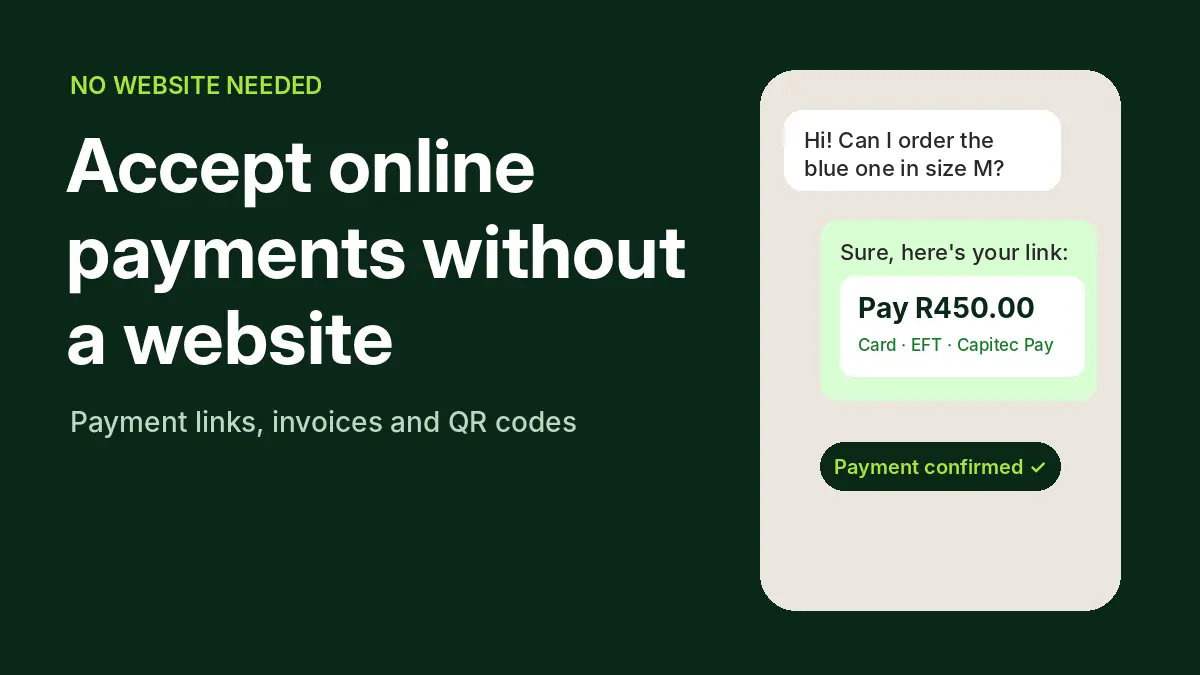
You do not need an online store to get paid online. Payment links, invoices and QR codes let you take card, EFT and Capitec Pay payments from WhatsApp, Instagram, email or a printed invoice, and stop the fake proof-of-payment problem at the same time. Here is how each option works and what it costs.
The short answer
Use a payment link or a payment request. You create it in the provider’s dashboard or app, send it by WhatsApp, SMS or email, and the customer pays by card or EFT on a secure page. The money settles to your bank account like any other online payment.
For one-off sales in a chat, Yoco Link or PayFast payment requests are the quickest start. If you invoice customers or run accounts, Pay@ Go sends invoices with a payment link or QR code, tracks which are paid, and has no monthly subscription. If your customers prefer paying by bank, Ozow.
Three ways to get paid without a website
Payment links
A unique link for an amount. Paste it into WhatsApp, Instagram DMs, SMS or email. Good for one-off sales and deposits.
Invoices and payment requests
An invoice or request with a pay button or link attached. Good for services, B2B and monthly accounts.
QR codes
A code the customer scans with their phone camera or banking app. Good for markets, events, deliveries and printed invoices.
Your options in South Africa
| Provider | Tool | How you send it | Card fee | EFT fee | Who can sign up |
|---|---|---|---|---|---|
| Pay@ Go | Invoices and payment requests | Email or SMS, with a payment link or QR code; bulk upload of statements | 2.85% online (min R1.85) | Included in online rate | (Pty) Ltd, CC or sole proprietor |
| Yoco | Yoco Link (free) | WhatsApp, email, social media, SMS or on invoices | 2.55–2.95% | Not published | SA individuals 18+ and SA-registered businesses |
| PayFast | Payment requests, invoicing, Pay Now buttons | Email with a clickable payment link | 3.2% + R2 | 2.0% (min R2) | Individuals, businesses and causes |
| Peach Payments | Payment Links | Email, SMS or WhatsApp | 2.95% + R1.50 | 1.5% + R1.50 | Sole proprietors and registered businesses |
| Ozow | SMS payment links, QR codes, payment requests | SMS, QR, WhatsApp (R0.35 per WhatsApp request) | 2.85% (min R1) | 1.5% (min R1) | Registered companies and informal merchants |
| Stitch Express | Payment links | Shareable link; can be added to Xero invoices | 2.95% | 2.0% (Capitec Pay) | SA businesses, including sole proprietors |
Rates are ex VAT, checked on 21 October 2026. Scroll sideways on a phone.
What a R500 sale costs you
The fee on one R500 card payment
Ex VAT, entry-level published rates. Lower is better.
Pay@ Go and Ozow 2.85%; Yoco and Stitch 2.95%; Peach 2.95% + R1.50; PayFast 3.2% + R2.
If the customer pays by EFT instead, Ozow charges R7.50 on the same R500 and PayFast R10. The difference on one sale is small; on 100 sales a month it is R375 between the cheapest and dearest card option.
Which one to use
| If you… | Use | Why |
|---|---|---|
| Sell one-off items through WhatsApp or Instagram | Yoco Link or PayFast | Quick to set up, both accept individuals, links paste straight into a chat |
| Send invoices or monthly statements | Pay@ Go | Invoices switch from sent to paid automatically, statements can be bulk-uploaded, and there is no monthly subscription |
| Have customers who pay through their banking app or at a till | Pay@ Go | Customers can pay in-app through Capitec, FNB and Nedbank, or in store at selected retailers |
| Have customers who prefer EFT | Ozow | 1.5% Pay by Bank, plus SMS links and QR codes |
| Already use Xero | Stitch Express | Payment links can be added to Xero invoices |
| Will add a website later | Any of the above | All of these providers also offer WooCommerce or Shopify integrations, so you can stay with the provider you know |
Pay@ Go’s channel fees are 2.85% online (min R1.85), 2.85% in-app (min R5) and 3.50% in store at selected retailers (min R7). Settlement for Pay@ Go is five days.
Why a payment link beats “send me proof of payment”
Many small South African sellers still share bank details and wait for a proof of payment. That is slow, it puts your account number in every chat, and fake proof-of-payment screenshots are a well-known scam. With a payment link or request, the provider confirms the payment, not the customer, and you can see it in your dashboard before you ship.
- Put the order details in the link or request. Product, size, delivery address and a reference, so you can match payments without guessing.
- Only ship when your dashboard says paid. Never on a screenshot.
- Keep the amount exact. Include delivery in the total so you are not chasing a second payment.
- Send a receipt. Most providers do it automatically; check it shows your business name.
When it is time for a proper store
Selling through links works well up to a point. Signs you have outgrown it: you are typing the same product details into chats every day, tracking orders in a notebook or spreadsheet, losing customers who want to browse, or you want people to find you on Google. A store adds a catalogue, a cart, stock control and order tracking, and the gateway you already use plugs straight in.
Read how to start an online store in South Africa and what a WooCommerce store costs. When you get there, our guide to payment gateways in South Africa compares every provider in detail.
Ready to move from links to a store? We build WooCommerce and Shopify stores with the gateway set up and tested on live orders. Get a quote within 24 hours.
FAQs
Can I accept card payments in South Africa without a website?
Yes. Yoco Link, PayFast payment requests, Peach Payment Links, Ozow SMS links and Pay@ Go invoices all let customers pay by card on a secure page without you having a website.
What is the cheapest way to accept payments without a website?
On a card payment, Pay@ Go and Ozow are cheapest at 2.85%, followed by Yoco and Stitch at 2.95%. On EFT, Ozow’s 1.5% is the lowest published rate.
Can I send a payment link on WhatsApp?
Yes. Yoco says its links can be shared on WhatsApp, and Peach Payment Links can be sent by WhatsApp. Ozow sends payment requests by WhatsApp at R0.35 per message.
Do I need a registered company to use payment links?
No. Yoco accepts South African individuals aged 18 or older, PayFast lets individuals use payment requests, and PayFast, Peach, Stitch and Pay@ Go accept sole proprietors.
Is a payment link safe for my customers?
Yes, when it comes from a regulated gateway. The customer pays on the provider’s secure page, card payments go through 3D Secure, and you never see their card details.
Can customers pay a Pay@ Go invoice in cash?
Pay@ Go lists in-store payment at selected retailers as a channel, at 3.50% with a R7 minimum, alongside online and banking-app payments.
Sources

We have built 400+ online stores for South African businesses since 2014. Read more about eCommerce development in South Africa.