How to sell on WhatsApp in South Africa: the app, the API, payments and what it really costs
South African shoppers already buy through chat: more than a quarter of online shoppers have bought through TikTok, Instagram or WhatsApp. This guide covers how to set up WhatsApp selling properly, when the free Business app is enough and when you need the API, how to take payment safely, what Meta’s new per-message pricing costs in rand, and how to connect it all to your online store. Includes a free link generator, message templates and a cost calculator.
The short answer
Start with the free WhatsApp Business app. Set up your profile, catalogue, quick replies and away message, and add a click-to-chat button to your website and social profiles. For most small stores that’s enough to take orders today.
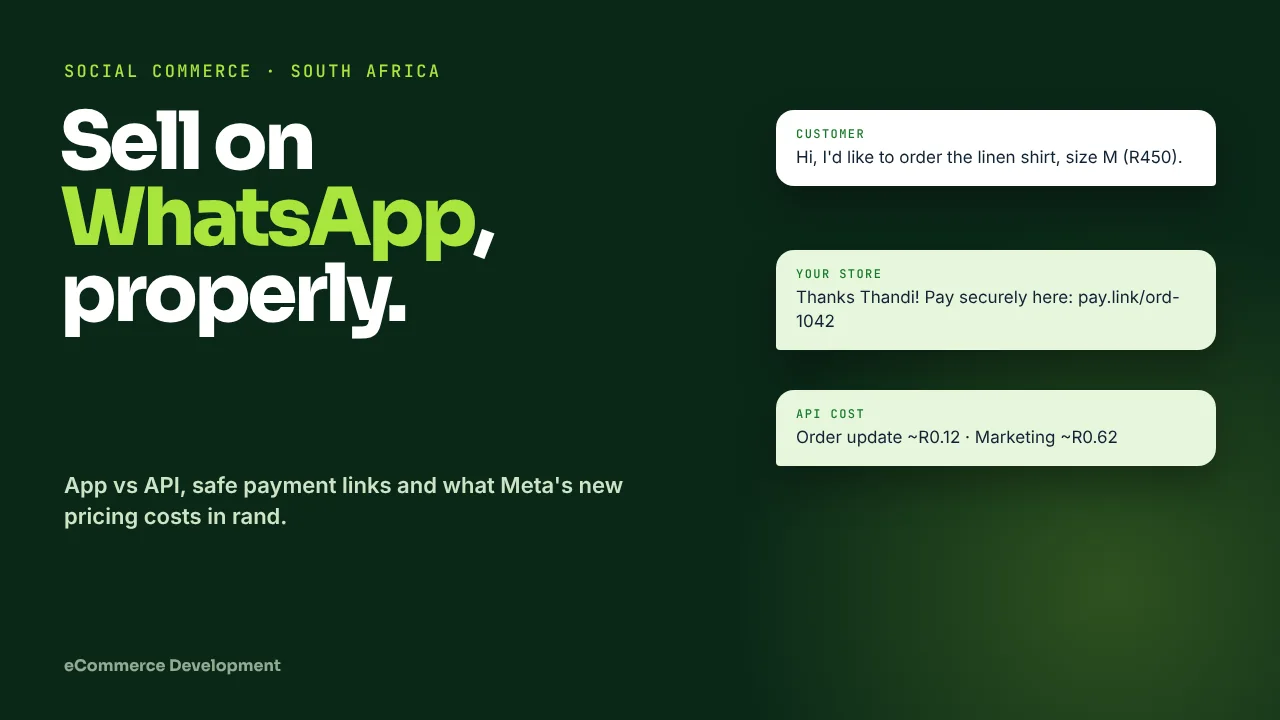
Move to the API when volume or automation demands it: several staff answering chats, automatic order and shipping updates, cart recovery, or a connection to Shopify or WooCommerce. You’ll pay Meta per message, about R0.12 for an order update and about R0.62 for a marketing message, plus your provider’s fees.
Take payment by link, never by screenshot. Send a secure payment link or point customers to your online checkout, and only ship when the money is confirmed.
WhatsApp link generator and cost calculator
Create your click-to-chat order link and button, copy six ready-made customer messages, and estimate API costs in rand.
Why WhatsApp works for selling in South Africa
For many South Africans, WhatsApp is where conversations already happen, with family, with work and increasingly with businesses. Stitch’s 2026 consumer research found that 26.9% of online shoppers have bought through social and chat channels like TikTok, Instagram and WhatsApp. Chat selling works because it feels personal: customers can ask about sizes, stock and delivery, and get an answer from a real person before they pay.
It works best as part of your store, not instead of it. Your website gives you a catalogue Google can find, a checkout that takes payment safely, and order records. WhatsApp gives you the conversation that turns hesitant browsers into buyers, and the follow-up that brings them back.
WhatsApp Business app vs WhatsApp Business API
| WhatsApp Business app | WhatsApp Business Platform (API) | |
|---|---|---|
| Cost | Free | Meta fee per template message, plus your provider’s fees |
| Setup | Download the app, verify your number | Through a Business Solution Provider (BSP) or direct with Meta |
| Who answers | You, on your phone and a few linked devices | A team inbox with many agents, plus bots |
| Catalogue | Yes, built in | Yes, can sync from your store |
| Automation | Greeting, away message, quick replies | Full automation: order updates, cart recovery, chatbots |
| Bulk messages | Broadcast lists, only to people who saved your number | Approved template messages to opted-in customers |
| Store integration | Manual | Connects to Shopify, WooCommerce and your CRM |
| Best for | Small stores and new sellers | Growing stores with steady order volume |
Set up the free WhatsApp Business app properly
- Use a dedicated business number, not your personal one, so you can hand it to staff later.
- Complete your profile: logo, business description, address or service area, hours, email and website.
- Build your catalogue with photos, prices, short descriptions and a link to each product on your website.
- Write a greeting message for new chats that explains how to order and how long you take to reply.
- Set an away message for after hours that links to your online store.
- Create quick replies for the questions you answer daily: delivery times, sizes, payment, returns.
- Use labels such as New order, Awaiting payment, Paid, Shipped, so nothing falls through the cracks.
- Add click-to-chat everywhere: on your product pages, Instagram and Facebook bios, email footer and packaging.
Add an “Order on WhatsApp” button to your store
A wa.me link opens a chat with your number and a message already typed in, like “Hi, I’d like to order the linen shirt, size M (R450)”. The customer just presses send, and you know exactly what they want. Our free link generator builds the link and the button code for you. On Shopify and WooCommerce, the button can go on every product page with the product name and price filled in automatically.
The WhatsApp order flow that works
Customer taps your button or sends a message about a product.
You confirm stock, size, delivery address and the total including delivery.
You send a secure payment link, or a link to the product in your online checkout.
Once payment is confirmed, you ship and send the tracking link.
After delivery, ask for a review and save the customer for future offers, with consent.
Here’s what the key messages can look like. Get all six templates, filled in with your details, from the generator.
Taking payment on WhatsApp safely
| Payment option | How it works | Risk for you |
|---|---|---|
| Payment link from your gateway | You create a link for the order amount and send it in the chat; the customer pays by card, instant EFT or other methods | Low, payment is confirmed before you ship |
| Link to your online checkout | You send the product or cart link, and the customer checks out on your store | Low, and the order lands in your system automatically |
| Instant EFT, Capitec Pay, PayShap | Bank-confirmed payments in real time | Low |
| Manual EFT with proof of payment | Customer pays into your account and sends a screenshot | High, screenshots are easy to fake |
| Cash on delivery | Customer pays the courier on delivery, where offered | Medium, refused parcels cost you the delivery |
Never ship on a screenshot. Fake proof of payment is one of the most common scams aimed at South African sellers on WhatsApp and social media. Ship only when the money is in your account, or use a payment link that confirms payment straight away. We cover the warning signs in fraud orders and chargebacks for SA stores.
What the WhatsApp Business API costs in 2026
On the API, Meta charges per delivered template message, the pre-approved messages businesses send to start or restart a conversation. Briefly reports that Meta moves South African API users to per-message pricing from 1 October 2026. The free WhatsApp Business app is not affected.
| Message type | Used for | Meta fee (US$) | About (rand) |
|---|---|---|---|
| Marketing | Promotions, new arrivals, abandoned-cart reminders | $0.0379 | R0.62 |
| Utility | Order confirmations, payment reminders, shipping updates | $0.0076 | R0.12 |
| Authentication | One-time login and verification codes | $0.0076 local, $0.02 international | R0.12 local |
Monthly Meta fees by volume
Rand, Meta fees only, before provider fees
Source: Briefly, based on Meta’s rates. Rand values depend on the exchange rate. Estimate your own volume with the cost calculator.
Two things keep costs down. First, when a customer messages you, you can reply freely within 24 hours of their last message; template messages are only needed to reach out after that window. Second, utility messages cost about a fifth of marketing ones, so order and shipping updates are cheap while promotions are where the bill grows. Send marketing messages to engaged, opted-in customers rather than blasting your whole list.
Your provider adds its own costs on top: usually a monthly platform fee, sometimes a markup per message. Compare providers on the total, not only on Meta’s rate.
Connecting WhatsApp to Shopify or WooCommerce
| What you want | App or API? | How |
|---|---|---|
| Chat button on product pages | Either | A wa.me button with the product name and price filled in |
| Catalogue that matches your store | Either | Sync products through Meta Commerce Manager or a store app |
| Automatic order and shipping updates | API | A Shopify app or WooCommerce plugin connected to your provider |
| Abandoned-cart reminders | API | Triggered by your store, sent only to opted-in customers |
| Team inbox with several agents | API | Your provider’s shared inbox |
| Payment inside the chat | Either | A payment link from your gateway, or a checkout link from your store |
Stay on the right side of POPIA and WhatsApp’s rules
- Get consent before you market. Under POPIA, direct marketing by electronic message needs the person’s consent, or must be to an existing customer about similar products, with an easy way to opt out every time.
- Record where consent came from: a checkbox at checkout, a reply to your message, or a sign-up form.
- Honour opt-outs straight away. “Reply STOP to opt out” only works if someone actually removes them.
- Follow WhatsApp’s commerce rules. Some products can’t be sold on WhatsApp at all, and spammy messaging can get your number limited or banned.
- Don’t buy or scrape number lists. It breaks POPIA and WhatsApp’s terms, and gets accounts banned quickly.
Common mistakes we see
| Mistake | Why it hurts | Fix |
|---|---|---|
| Running the business from a personal number | Hard to hand over, no business profile, mixes private and work chats | Use a dedicated number on WhatsApp Business |
| Slow replies | Chat buyers expect fast answers and move on | Set hours, an away message and quick replies |
| Shipping on proof of payment | Fake screenshots cost you the goods | Payment links, or ship only on cleared funds |
| Orders only in chats | Lost orders, no stock control, no records | Put every order through your store or order system |
| Blasting promotions | Blocks and reports can get your number restricted | Message opted-in customers, and keep it relevant |
Questions
Is WhatsApp Business free in South Africa?
The WhatsApp Business app is free to download and use, with no per-message fees. The WhatsApp Business Platform (API), used for automation and store integrations, charges per template message, plus whatever your provider charges.
How much does a WhatsApp marketing message cost?
Meta’s South African rate is about US$0.0379, roughly R0.62, per marketing message. Utility messages like order updates cost about US$0.0076, roughly R0.12. Rates change, so check Meta’s pricing page.
Can I take payments inside WhatsApp in South Africa?
The usual way is to send a secure payment link from your payment gateway, or a link to your online checkout. The customer pays on a secure page, and you ship once payment is confirmed.
Do I need a website if I sell on WhatsApp?
You can start without one, but a website makes you findable on Google, gives you a proper checkout and order records, and lets customers buy when you’re not online. The strongest setup uses both: the store for browsing and paying, WhatsApp for questions and follow-up.
Can I send messages to all my customers on WhatsApp?
Only to those who have agreed to hear from you. On the app, broadcast lists reach only people who saved your number. On the API, you send approved templates to opted-in customers. POPIA requires consent for direct marketing.
What is the 24-hour window?
When a customer messages you, you can reply with any message for 24 hours after their last message. After that, you need to use an approved template message to contact them again, which carries a fee on the API.
Sources
- Briefly: Meta to charge WhatsApp Business API users per message from 1 October 2026
- Meta: pricing on the WhatsApp Business Platform
- WhatsApp Business: platform pricing
- Stitch: how South Africans shop in 2026
- Information Regulator: POPIA Chapter 8, direct marketing by electronic communication
- Moonstone: guidance note on direct marketing under POPIA

We have built 400+ online stores for South African businesses since 2014. Read more about eCommerce development in South Africa.