WooCommerce B2B and wholesale in South Africa
Selling wholesale and retail from one WooCommerce store is entirely doable, and it is where WooCommerce genuinely beats the hosted platforms. It is also where stores most often leak trade pricing to the public. Here is how to build it properly.
South African distributors and manufacturers are moving off emailed price lists and PDF order forms, and WooCommerce is frequently the right destination. The flexibility that makes it a slightly awkward retail platform makes it an excellent B2B one, because B2B requirements are idiosyncratic and every business has its own rules.
Why WooCommerce suits B2B better than hosted platforms
Three structural reasons.
Customer-specific pricing is a solved problem. WooCommerce’s role and user meta system means per-customer, per-group and per-quantity pricing is straightforward. On Shopify, real B2B pricing sits behind the Plus tier.
You can gate anything. Hide prices from logged-out visitors, hide entire product categories from retail customers, require approval before a trade account activates. All of it is standard WordPress capability rather than a platform feature you have to pay for.
Integration is open. B2B businesses almost always have an ERP, accounting system or stock system that matters more than the website. WooCommerce’s REST API and the WordPress plugin ecosystem make those integrations possible without a platform gatekeeper.
The four things every B2B WooCommerce store needs
1. Trade pricing that does not leak
This is the requirement people get wrong. Trade prices must be invisible to retail customers and to search engines.
The failure modes we see: trade prices visible in page source even when hidden visually, wholesale products appearing in the public sitemap, trade-only categories showing in search results, and the classic — a wholesale price appearing in a Google Shopping feed.
Gating properly means the price is not rendered at all for unauthorised users, not hidden with CSS. Check the page source as a logged-out visitor. If the number is in the HTML, it is public regardless of what the customer sees.
2. Account application and approval
Trade accounts should not self-serve. You need an application capturing company name, VAT number, registration number and trading references, then a manual approval step before trade pricing activates.
This is also your POPIA touchpoint — you are collecting business and personal information and need a lawful basis and a retention position for it. Our POPIA compliance guide covers the obligations.
3. Minimum order quantities and case sizes
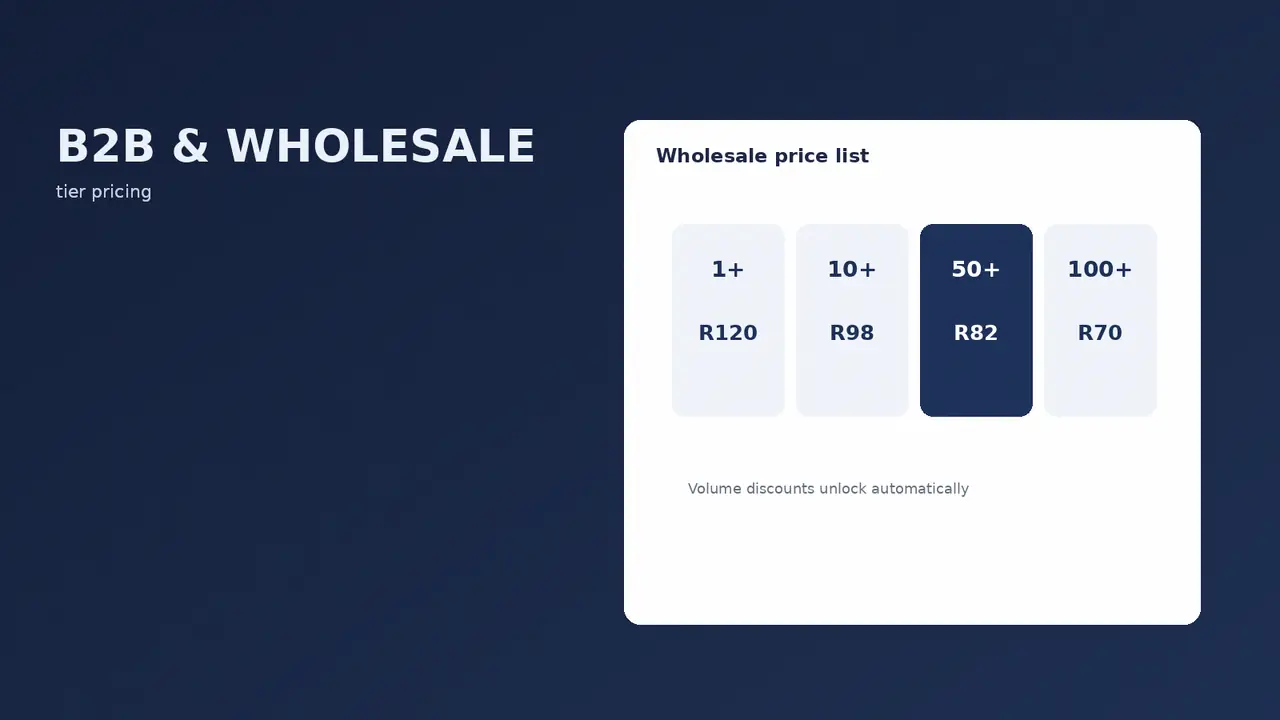
Most wholesale operations sell in cases, not units. WooCommerce needs to enforce that: minimum quantities, increments, and minimum order values per customer group.
Get this wrong and you will process an order for three units of something you only ship in boxes of twelve, and someone in the warehouse will have to phone the customer.
4. Payment terms
B2B customers frequently do not pay at checkout. They order on account and settle on terms. WooCommerce handles this with an invoice or purchase-order payment method restricted to approved trade accounts, which places the order without payment and flags it for invoicing.
That means your accounting integration matters more than your payment gateway for the B2B half of the business. Which in turn means proper VAT invoicing is not optional.
Running B2B and B2C from one store
The perennial question. One store or two?
| One store | Two stores | |
|---|---|---|
| Stock management | Single source of truth | Needs syncing, error-prone |
| Product data | Maintained once | Maintained twice |
| Cost | One hosting plan, one set of licences | Roughly double |
| Pricing complexity | Higher — conditional logic throughout | Lower — each store is simple |
| Leak risk | Real, needs careful configuration | Minimal |
| Trade UX | Compromised by retail design | Can be built for speed and reordering |
Our default is one store. Shared stock and single product maintenance outweigh the configuration complexity for most South African distributors. The exception is when the trade catalogue is substantially different from the retail one, or when the trade buying experience needs to be genuinely different — rapid reordering from a spreadsheet-like interface rather than browsing a product grid.
What a good trade customer experience looks like
Trade buyers are not shoppers. They are doing a job, usually repeatedly, usually against a list. Optimising for browsing is optimising for the wrong behaviour.
- Quick order by SKU. A field where they type or paste codes and quantities. This one feature does more for trade satisfaction than any amount of visual design.
- Reorder from previous orders. Most trade orders are variations on the last one.
- Saved lists. Standing orders, seasonal lines, per-branch lists.
- Stock visibility. Trade customers need to know what is actually available, not just whether they can add it to a cart.
- Downloadable price lists. Some buyers still want a PDF or CSV. Give them one generated from live pricing.
- Multiple users per account. A buyer, an approver and a receiver may all need access to one trade account.
The South African specifics
VAT numbers matter more. Trade customers need their VAT number on invoices to claim input VAT. Capture it at application, validate the format, display it on every invoice.
Delivery is often to multiple sites. A retail chain ordering centrally for six branches needs multiple delivery addresses on one account. Standard WooCommerce assumes one billing and one shipping address per customer.
Payment terms are commercially expected. Requiring card payment upfront from a trade customer who has 30-day terms with every other supplier will cost you the account.
Freight is negotiated, not calculated. Trade shipping frequently runs on agreed rates or free-above-threshold arrangements rather than live courier quotes. Configure a separate shipping zone or method for trade customers rather than sending them through the retail rates we described in our shipping setup guide.
Migrating off price lists: the first 90 days
If you are moving a wholesale operation online for the first time, the technology is rarely the hard part. Adoption is.
What works: start with your most digitally comfortable customers rather than your largest. Keep accepting email orders in parallel for the first quarter rather than forcing a switch. Make the first login trivially easy, because a buyer who cannot get in on the first attempt will email their order and never try again. And measure adoption per customer, not overall — an average hides the fact that two customers are using it and forty are not.
The commercial case, from the businesses we have done this with, is usually order accuracy and admin time rather than new revenue. Fewer transcription errors, fewer phone calls confirming quantities, and sales staff spending time on selling rather than order capture.
WooCommerce B2B FAQs
Can WooCommerce handle B2B and wholesale properly?
Yes, and better than most hosted platforms because customer-specific pricing, gated catalogues and payment terms are all achievable without a premium platform tier. It requires deliberate configuration rather than working out of the box.
How do I hide wholesale prices from retail customers?
Gate at the rendering level, not with CSS. The price should not appear in the page source for unauthorised users. Also exclude trade-only products from your sitemap, your search results and any product feed.
Should I run separate B2B and B2C stores?
Usually one store, because shared stock and single product maintenance matter more than the added configuration complexity. Two stores make sense when the trade catalogue or trade buying experience is genuinely different from retail.
Can WooCommerce do payment terms and invoicing?
Yes. A purchase-order or invoice payment method restricted to approved trade accounts places the order without payment for later invoicing. Pair it with proper VAT invoicing and, ideally, an accounting integration.
How do I set minimum order quantities?
Through a B2B or wholesale plugin, per product, per group or per order value. Set case-size increments as well as minimums, so a customer cannot order a partial case of something you only ship whole.
Do trade customers need to see prices excluding VAT?
Generally yes. Trade buyers work in ex-VAT figures because they reclaim the VAT. Retail customers expect inclusive pricing. A store serving both needs conditional price display by customer role.
What does a B2B WooCommerce build cost in South Africa?
More than a retail store, because the requirements are business-specific and the integrations matter. The variables are how complex your pricing rules are, whether you need ERP or accounting integration, and whether you are running B2B alongside retail. We quote these individually rather than from a price list.
Can I integrate with my accounting or ERP system?
Usually. WooCommerce’s REST API is open and most South African accounting packages have integration paths. The work is in mapping your product, customer and pricing data between systems, which is where the real effort in a B2B build sits. We cover Sage, Xero and Odoo integrations as part of our enterprise ecommerce builds.

We have built 400+ online stores for South African businesses since 2014. Read more about WooCommerce development in South Africa.